The Master List.
The central hub for managing your stock.
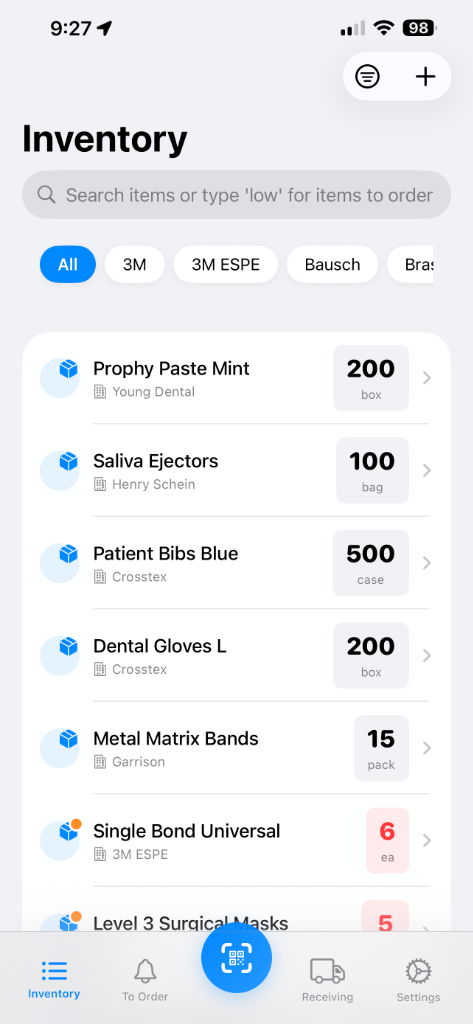
Item Management
- Core Actions: Add, edit, and delete inventory items.
- Smart Search: Find items by name, company, SKU, or category. Search "low" to instantly see low stock items.
- Filters: Quickly filter by company, category, or stock status.
- Admin Control: Restricted add/delete permissions for admin users.
Item Details
- Comprehensive Info: Track Name, SKU, Company (multiple supported), Quantity, and Unit.
- Location & Category: Organize items by physical location and category.
- Purchase Tracking: Record purchase prices and add memo notes.
- Batch Tracking: Manage items with expiry dates and view individual batch details.
- Stock Threshold: Set custom minimum levels to trigger auto-alerts.
Stock History
- Full Audit Trail: specific timestamps for every quantity change.
- Transaction Types: Track increases, decreases, and return transactions (negative quantities).
- History Filters: Filter history logs to find specific events.
Print Labels & Export
- Label Generation: Create QR Codes or Barcodes in multiple formats (A4, Avery).
- Customizable: Choose from small, medium, or large code sizes.
- Batch Actions: Print labels for single items or in batches.
- PDF Reports: Generate inventory status reports and email them directly.
Smart Alerts.
Monitor items that need attention.
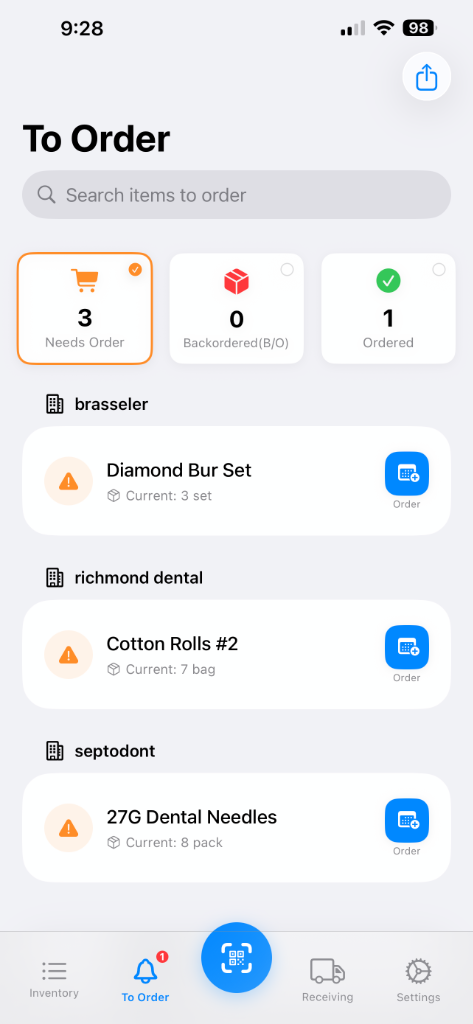
Alert Management
- Auto-Generation: Alerts are automatically created when stock drops below thresholds.
- Status Tracking: Track items across three stages:
- Needs Order: Low stock, not yet ordered.
- Backordered: Ordered but partial delivery.
- Ordered: Fully ordered, awaiting delivery.
- Manual Alerts: Manually create alerts for any item.
Order Tracking
- Mark as Ordered: Record the order date and quantity with one tap.
- Backorder Handling: Track specific backorder quantities.
- Notes: Add specific notes or instructions to any alert.
Batch Operations
- Export List: Generate a PDF of all current alerts.
- Share: Email the order list directly to suppliers or staff.
- Smart Grouping: Items are grouped by company for efficient ordering from multiple vendors.
Instant Lookup.
Quickly find and update items using the camera.
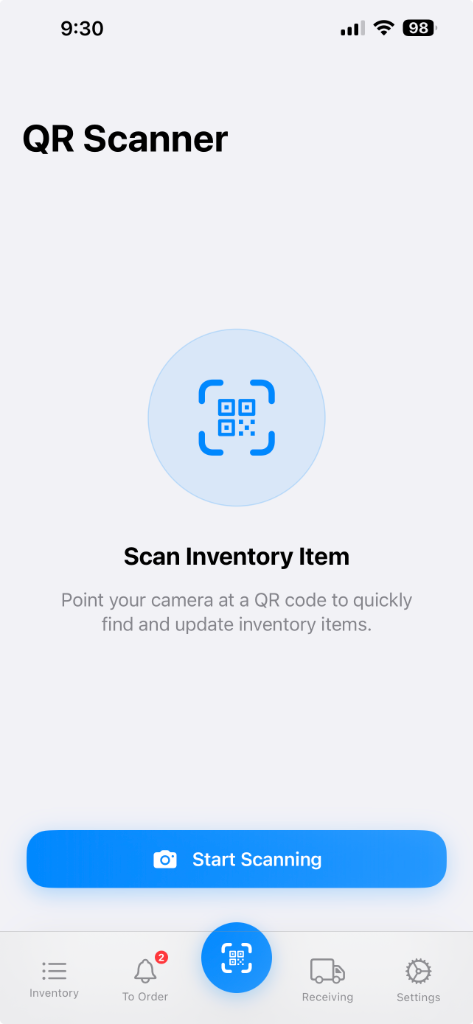
Scanning Capabilities
- Universal Support: Scans both QR Codes and standard Barcodes.
- Enhanced Controls: Start/Stop scanning control and Flashlight toggle for low-light conditions.
- Manual Lookup: Fallback search by name, company, or legacy UUID if a code is unreadable.
Smart Display
- Full-Screen View: Immersive camera view with corner guides for easy targeting.
- Instant Results: Automatically navigates to the item page upon a successful scan.
- Quick Actions: "Start Scanning" button for rapid-fire inventory checks.
Stock Page.
Manage incoming stock and invoices.
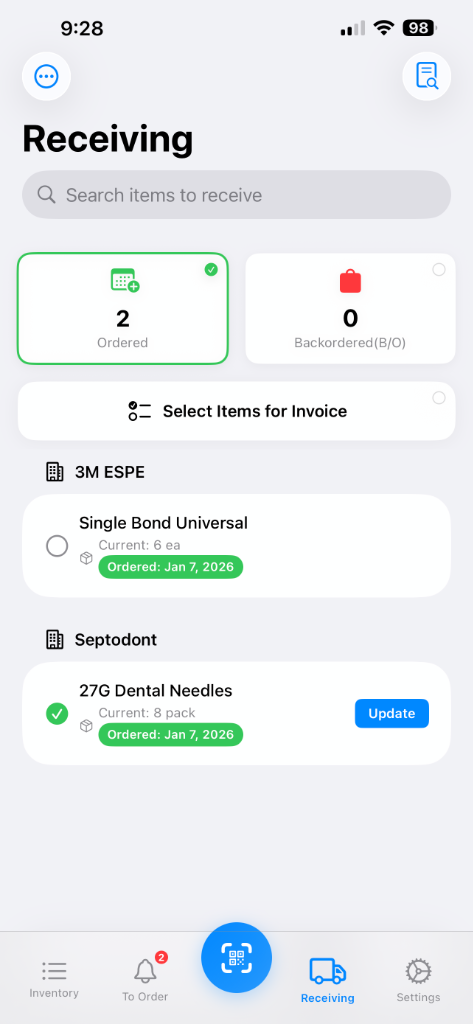
Stock Check List
- Queue Management: View all ordered items awaiting receipt, grouped by company.
- Status Filters: Filter by "Ordered" (regular orders) or "Backordered" items.
- Smart Updates: Search by name or company to quickly find pending items.
Stock & Invoice Management
- One-Tap Receipt: Quickly update received quantities and expiry dates.
- Invoice Capture: Take or upload invoice photos. Support for multiple items per invoice.
- Digital Archive: Invoices are automatically organized by company, year, and month.
Return Items
- Seamless Returns: Swipe left on stock items to initiate a return.
- Reason Tracking: Enter quantity and reason to automatically update inventory and history.
- Stock Adjustment: Automatically decreases inventory and creates a negative stock history entry.
Admin Settings.
Configure the app and view reports.
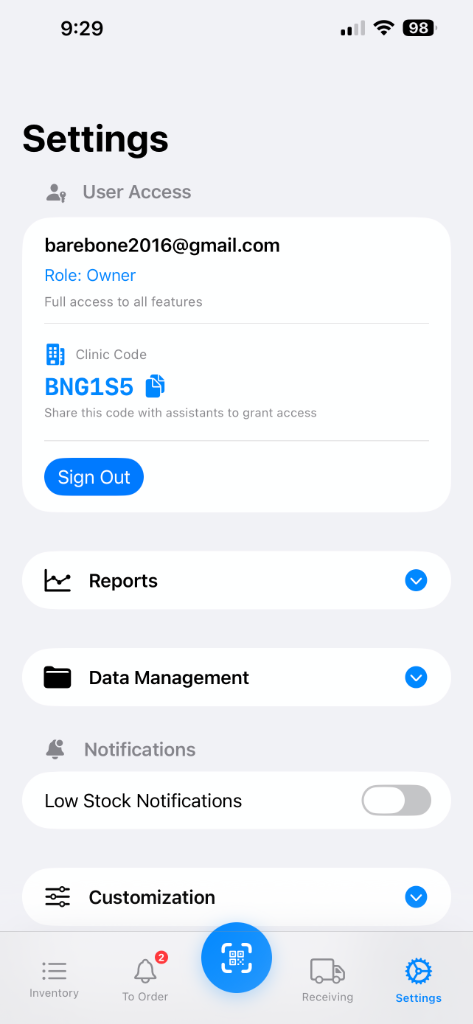
User & Access Control
- Role Management: Switch between "Owner" (full access) and "Assistant" (restricted) modes.
- Team Access: Share a unique clinic code to allow multiple users to join.
- Security: Admin functions are protected by a secure password.
Annual Archive
- Year-End Reset: Automatically archive all memos, history, and notes.
- PDF Records: Download comprehensive PDF reports of past years.
- Auto-Reminder: Get notified on January 1st to perform the annual cleanup.
Data Management
- CSV Import/Export: Bulk add items using a CSV template (with AI formatting check).
- Sample Data: One-tap generic data generation for testing (12, 100, 250, or 500 items).
- Full Reset: Admin-only option to wipe all cloud and local data.
Label Configuration
- Format Options: Support for A4 (2x5, 3x6, 4x8) and Avery (5160, 5163, 5167) sheets.
- Code Types: Choose between QR Code or Barcode.
- Batch Printing: Select multiple items to generate a single printable PDF.
Reports & Notifications
- Usage Reports: View monthly and yearly usage trends with top 10 item rankings.
- Notification Settings: Customize low stock alert frequency and delivery method.